Toperz
Active Member
I would wait at least 2-3 hours
Sent from my SM-S928U using Tapatalk
Sent from my SM-S928U using Tapatalk

I had the same issue. I changed the settings back in alpha ODB and normal cruise control didn't work. However, I did another upgrade to my vehicle. I took the negative battery cable off (precautionary) because I was doing an electrical upgrade. The cruise control started working even with the new cluster with ACC. I think this action reset the system and the configuration change back to regular cruise control took. Hope this helps you. I still haven't installed my ABS / Control module yet. Trying to find time to take my truck to the shop. That is one part I don't feel comfortable swapping out on my own.Once you install the new ACC cruise control button normal cruise control won’t work until you either install the original switch or put the new HCU/ABS in.

You need sensors for the bumpers for semi-auto park. It's all in this thread. You can search for it. I added it to mine.Thanks for write up as today I changed the abs module and hcu. I did try to turn on just with the switch install with alphaodb and got errors so went ahead and changed the mod/hcu. The programing is another thing as I bought the pc version on my surface pro and its a bit tricky to navigate as the drop down arrows are so small. I did the switch trying hoping the 2023 limited had the right mod/hcu but it didnt. The switch part number I used showed up different for a 2023 68526526aa.
Now looking for the right radio bezel for lane assist. Don't really need it but might as well. I had a 2019 limited it had both and also a parallel parking too. So would the parallel parking work just with the switch or has anyone tried it.
Again thanks for the time and the write up.
We don't see the part number, so there's no way to help.I received the new ABS module and HCU valve body today.
The HCU has a matching part # to what I ordered.
The ABS module does not - which I understand is normal. The original unit on the truck doesn't either.
My question - is there any physical way to verify I received the correct ABS module? Probably being paranoid - but picking/shipping errors do happen and I'd like to verify before installing.
Thanks -
The following is to be used as a guide on how to install ACC, FCW, Lane Assist, Auto High Beam headlights and rain-sensitive wipers in your 5th Gen Ram 1500, also known as the Advanced Safety Group. I’ve also included a guide at the end of this document on how to install blind spot monitoring. Obviously, I cannot guarantee this will work on your truck, but I am confident it will. I was able to install all these features on my 2019 Ram Lonestar which originally came with an 8.4" Non-Nav Unit with Dual Climate control. I believe this can be activated on any 5th Gen, but I’m literally the first person to have done this (that I am aware of) so it’s possible there are unknown variables that will prevent activation. This install is for those that have experience with AlphaOBD and assumes you are familiar with basic terms and procedures. It is not advised to do this as your first project, but you are free to do as you want. I believe this to be a mostly complete guide, but I wrote this from memory after 8 months working on this project so some things might have slipped through the cracks. Big thanks to all those involved along the way.
The purpose of this thread is not to debate "if it's worth it" or to discourage others from spending their money how they want. Everyone has different opinions on this. I took this project on as a personal challenge to see if it was even possible and with a larger goal in mind than just these stock features.
Additional download link: ACC Guide Full (3).pdf
Can you just add the camera for auto high beam is you have the DASM from factory?Do you know what part number abs module your truck currently has (use AlfaOBD to read the system status if needed)? If you have FCW+, I would think you already have the correct ABS and HCU, since they need to be able to interpret data from the DASM to automatically activate the brakes, which the standard abs module isn’t capable of.

Hello - I was hoping you could explain this process in a little more detail. It was the only item that failed on me. I actually had to put the original unit back in. The donor unit had a bad outlet valve and was leaking. Put the original back in and no issues outside this failed test. Not showing any faults though.I have confirmed that you can use an ABS Module and HCU from another vehicle. I was able to activate ACC on a 2021 Bighorn using a donor ABS/HCU assembly (both parts) from a 2019 Limited with the Advanced Safety Group which includes Adaptive Cruise Control w/Stop and Go. I recommend getting the VIN from the donor vehicle and verifying that it does in fact have Adaptive Cruise Control w/Stop and Go using the FCA window sticker lookup tool. Of the two I was able to find for sale on a popular website, one was listed with the wrong part number and was not the correct part. Fortunately, I caught it before I bought and installed it.
I used AlfaOBD 2.3.6.0 on Windows with an OBDLink EX USB interface an inexpensive 12+8 FCA SGW module bypass cable. I assume other combinations will work but can't confirm.
The additional step required to get past the VIN mismatch fault is to run “Reset VIN values” using AlfaOBD. It has been previously been confirmed to work with older 1500 Rams and HD Rams, and I can confirm that it also works with a 2021 Ram 1500 DT.
Steps:
When this was all done, I only had one remaining error which was the EPB error. This cleared when I engaged and released the parking brake and cycled the ignition one time.
- Connect to function “ABS” and ECU “ABS Bosch/Continental/Teves/TRW PowerNet: DT MY2019+ PowerNet” using AlfaOBD.
- Read the system ID and System Status under Status/Faults and save the log for future reference if needed (not required, but a good idea).
- Disconnect and turn of ignition.
- Disconnect the battery.
- Remove old ABS/HCU assembly and install the donor assembly. Be prepared to deal with about 1 quart of spilled brake fluid, most of which will come out of line on the back of the HCU closest the right fender.
- Install donor ABS/HCU assembly.
- Perform a base brake system bleed (using any of the old school methods).
- Connect battery.
- Connect to Function “ABS” and ECU “ABS Bosch/Continental/Teves/TRW PowerNet: DT MY2019+ PowerNet” using AlfaOBD
- Read System ID and System Status and save the log again.
- Run “Reset VIN Values” under Active Diagnostic. When I ran this is never returned a process complete status but it worked. I waited about five minutes.
- Power off ignition and wait a couple minutes for the power off delay to expire.
- Connect to Function “ABS” and ECU “ABS Bosch/Continental/Teves/TRW PowerNet: DT MY2019+ PowerNet” using AlfaOBD
- Read System ID again. Verify that the value for VIN current all question marks. If not, repeat. The ABS ECU initialization will not work until the VIN current value is properly cleared.
- Perform the ABS module bleed procedure using AlfaOBD (AlfaOBD will guide you).
- I'm pretty sure the factory service manual says to run a base system bleed on the brakes again after the ABS bleed, but I can't confirm. Other than a little more time, it can't hurt.
- Run static ECU initialization
- Run Longitudinal acceleration sensor calibration. I had to disconnect, go to advanced mode, uncheck verify ECU, and connect to RAM 1500/2500/3500/4500/5500: MY2013+ PowerNet to get this to work. The option under DT MY2019+ of “Longitudinal and Lateral sensor calibration fails”. I only used the 2013+ option for this one step.
- Clear codes and cycle ignition
- Run clearing Rolls Information
- Run Inlet Valve Calibration
- Run Pilot Valve Calibration
- Run Sensor Cluster Calibration
- Run Brake Pedal Calibration
Note that the ABS module will retain the VIN from the original vehicle under the VIN original value. Only the VIN current value needs to match the current vehicle.
Much thanks to all those that did the hard work to figure this stuff out!
One step closer to installing a Comma 3!
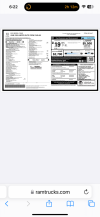
You can go to a website that lets you see the dealer sticker for a 2014 or newer RAM. You can look at the options the vehicles had. I used this one. Window Sticker Lookup by VINGood afternoon,
I ordered the parts from LKQ and I don’t see the part number so before I install this I wanted to make sure I got the write part. I asked them for the 68436462AJ part and they sent that with the 68415320AA off of a 2023 Ram 1500 Limited. It shows that its vin is 1C6SRFHT9PN525353 that it came from.
I don’t see the part number on the parts so how do I verify before I install them. I ordered the switch and have it coming on Saturday.
Thanks for the help
Ethgri
Here is the infoYou can go to a website that lets you see the dealer sticker for a 2014 or newer RAM. You can look at the options the vehicles had. I used this one. Window Sticker Lookup by VIN
Same. Reached out to my dealership for 360 & acc. Never got me back lmao.I wish I could just pay a shop to add adaptive cruise to my Laramie
Thank you. I see it’s a limited and seems like it is right so hopefully when I do this it works.Here is the info