
It doesn't. That's why I'm here.Just be thankful yours still works
5thGenRams Forums
You are using an out of date browser. It may not display this or other websites correctly.
You should upgrade or use an alternative browser.
You should upgrade or use an alternative browser.
Uconnect not loading properly
- Thread starter teedup324
- Start date

T40M13GUN
Active Member
- Joined
- Oct 4, 2025
- Messages
- 25
- Reaction score
- 21
- Points
- 3
- Age
- 49
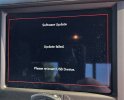
It doesn't. That's why I'm here.
Attachments
Gerardv514
Member
- Joined
- Aug 28, 2023
- Messages
- 24
- Reaction score
- 14
- Points
- 3
- Age
- 40
Understood but supposed an update had (what they call) bricked the entire screen and nothing was usable, not even able to connect to receive future OTA updates to correct the issue.Hi there, to provide some clarity, any dealers visit outside of warranty would typically be an out-of-pocket expense. However, in this matter we do not recommend a dealers visit as we are aware that this is a software issue. At this time there is nothing that can be done from the dealer's standpoint as a software update is what is needed.
As software updates are done on the backend there technically is no way to opt out of updates. However, some owners chose to remove or disconnect there TBM themselves but that is not an option our company offers.
Diamond
Ram Cares
How would a customer (who is out of warranty) be able to obtain future updated firmware versions to manually insert into the vehicle? Would that be something you’d be able to provide here through a direct message, or an official site to download, as an example?
T40M13GUN
Active Member
- Joined
- Oct 4, 2025
- Messages
- 25
- Reaction score
- 21
- Points
- 3
- Age
- 49
Understood but supposed an update had (what they call) bricked the entire screen and nothing was usable, not even able to connect to receive future OTA updates to correct the issue.
How would a customer (who is out of warranty) be able to obtain future updated firmware versions to manually insert into the vehicle? Would that be something you’d be able to provide here through a direct message, or an official site to download, as an example?
Attachments

bigdodge
Happy Ram Owner
- Joined
- Aug 25, 2021
- Messages
- 4,631
- Reaction score
- 2,939
- Points
- 113
- Location
- southwest. where majority rules
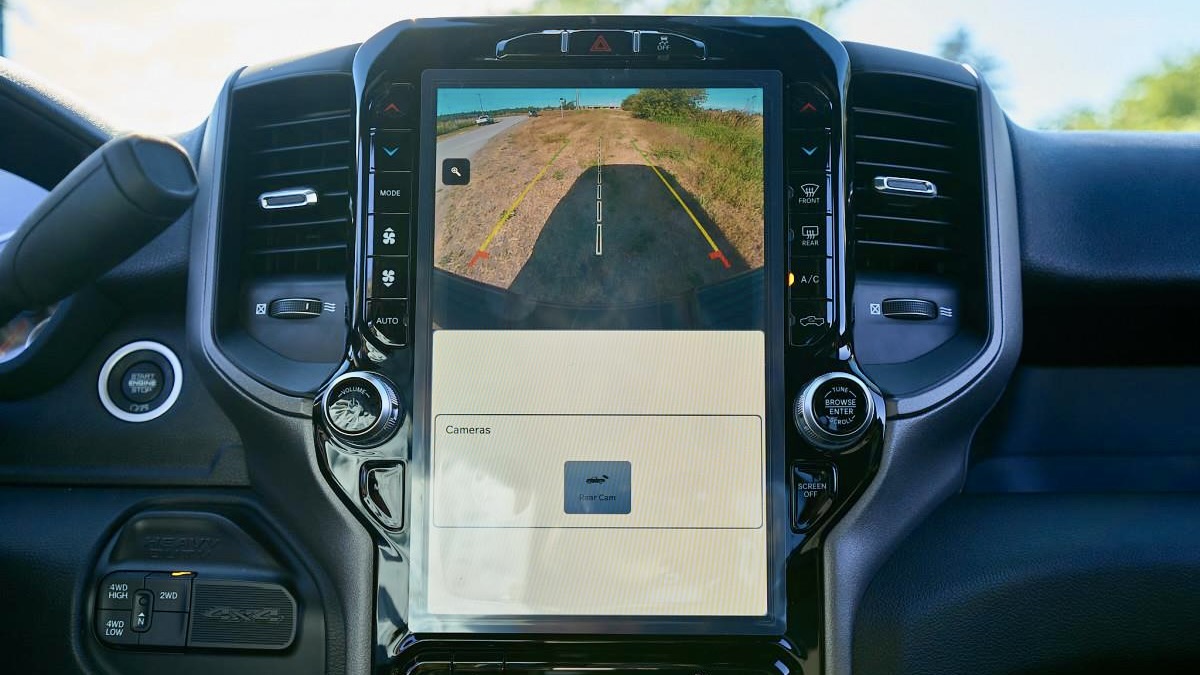
if your back up camera does not work wouldn't that be a safety issue?Understood but supposed an update had (what they call) bricked the entire screen and nothing was usable, not even able to connect to receive future OTA updates to correct the issue.
How would a customer (who is out of warranty) be able to obtain future updated firmware versions to manually insert into the vehicle? Would that be something you’d be able to provide here through a direct message, or an official site to download, as an example?
these trucks were recalled because the back up camera need an update.

My backup camera has glitched a couple of times. This is probably why.
 moparinsiders.com
RECALL: Ram Recalls 273k Trucks Over Camera Software Issue - MoparInsiders
Stellantis (FCA US, LLC) has issued a recall for 272,911 units of 2022 to 2023 Ram 1500 (DT), 2022 to 2023 Ram 3500 Chassis Cab with GVWR <10,000 lbs. (DF), and 2022 to 2024 Ram 2500 (DJ) trucks. According to the recall, radio software may prevent the rearview image from displaying. As such...
moparinsiders.com
- Loudram
- Replies: 63
- Forum: 5th Gen General Discussion

Gerardv514
Member
- Joined
- Aug 28, 2023
- Messages
- 24
- Reaction score
- 14
- Points
- 3
- Age
- 40
if your back up camera does not work wouldn't that be a safety issue?
these trucks were recalled because the back up camera need an update.
My backup camera has glitched a couple of times. This is probably why.
RECALL: Ram Recalls 273k Trucks Over Camera Software Issue - MoparInsiders
Stellantis (FCA US, LLC) has issued a recall for 272,911 units of 2022 to 2023 Ram 1500 (DT), 2022 to 2023 Ram 3500 Chassis Cab with GVWR <10,000 lbs. (DF), and 2022 to 2024 Ram 2500 (DJ) trucks. According to the recall, radio software may prevent the rearview image from displaying. As such...
- Loudram
- Replies: 63
- Forum: 5th Gen General Discussion
Sure it could potentially be a safety issue, but vehicles have existed for decades with rear view mirrors to fall back on.
Before those jump on that and say “oh well it law to have a back up camera” not quite. It is a law where manufacturers need to sell vehicles with rear view cameras, but eventually should that camera fail, you are not in violation of a law because no law exists for you to operate a vehicle with a working rear camera (at least not yet).
Similar to brake lights however there are specific brake light laws that state they need to be in a functional working order. In fact then on top of that law there’s case law where decisions were made where if one of the brake lights weren’t working you could still operate the vehicle.
bigdodge
Happy Ram Owner
- Joined
- Aug 25, 2021
- Messages
- 4,631
- Reaction score
- 2,939
- Points
- 113
- Location
- southwest. where majority rules
then why was my truck recalled?Sure it could potentially be a safety issue, but vehicles have existed for decades with rear view mirrors to fall back on.
Before those jump on that and say “oh well it law to have a back up camera” not quite. It is a law where manufacturers need to sell vehicles with rear view cameras, but eventually should that camera fail, you are not in violation of a law because no law exists for you to operate a vehicle with a working rear camera (at least not yet).
Similar to brake lights however there are specific brake light laws that state they need to be in a functional working order. In fact then on top of that law there’s case law where decisions were made where if one of the brake lights weren’t working you could still operate the vehicle.
Last edited:
Gerardv514
Member
- Joined
- Aug 28, 2023
- Messages
- 24
- Reaction score
- 14
- Points
- 3
- Age
- 40
because (as you noted) it appears there was an issue with the rear view displaying that affected many trucks, where something physically in the camera unit was causing an issue. A recall is issued and hardware is swapped out or potentially an update that cannot be delivered via OTA needs to be performed.the why was my truck recalled?
But are you saying you had that recall (2years ago) and it hasn’t worked since? Or just recently it stopped working and your just referencing that you have had a recall on the same?
bigdodge
Happy Ram Owner
- Joined
- Aug 25, 2021
- Messages
- 4,631
- Reaction score
- 2,939
- Points
- 113
- Location
- southwest. where majority rules
you said "Understood but supposed an update had (what they call) bricked the entire screen and nothing was usable, not even able to connect to receive future OTA updates to correct the issue."because (as you noted) it appears there was an issue with the rear view displaying that affected many trucks, where something physically in the camera unit was causing an issue. A recall is issued and hardware is swapped out or potentially an update that cannot be delivered via OTA needs to be performed.
But are you saying you had that recall (2years ago) and it hasn’t worked since? Or just recently it stopped working and your just referencing that you have had a recall on the same?
so I am saying you could call it a safety issue and get them to fix it that way.

RamCares
Spends too much time on here
Hi there, thanks for those details. If an update has made your screen inoperable then a dealer's visit would be highly suggested so your hardware could be looked at by a certified technician.Understood but supposed an update had (what they call) bricked the entire screen and nothing was usable, not even able to connect to receive future OTA updates to correct the issue.
How would a customer (who is out of warranty) be able to obtain future updated firmware versions to manually insert into the vehicle? Would that be something you’d be able to provide here through a direct message, or an official site to download, as an example?
In regard to your question about receiving updates manually, we recommend consulting with our UConnect team directly. If you are in need of assistance, feel free to send our team a private message. We're happy to help!
Diamond
Ram Cares
Gerardv514
Member
- Joined
- Aug 28, 2023
- Messages
- 24
- Reaction score
- 14
- Points
- 3
- Age
- 40
This would be the case under normal circumstances, what happens if this were to occur when out of warranty coverage? I’d assume a dealer visit is necessary, and that we would be on the hook for any costs incurred?Hi there, thanks for those details. If an update has made your screen inoperable then a dealer's visit would be highly suggested so your hardware could be looked at by a certified technician.
In regard to your question about receiving updates manually, we recommend consulting with our UConnect team directly. If you are in need of assistance, feel free to send our team a private message. We're happy to help!
Diamond
Ram Cares
Gerardv514
Member
- Joined
- Aug 28, 2023
- Messages
- 24
- Reaction score
- 14
- Points
- 3
- Age
- 40
Sure but the discussion is more of what happens when one is under warranty vs not under warranty (mainly when out of warranty and who gets hit with costs to fix when it was a result of reoccurring software updates that you can’t turn off to prevent risk of a bad update and have to pay for yourself) and when not classified as a recall, because recall wasn’t part of that discussion.you said "Understood but supposed an update had (what they call) bricked the entire screen and nothing was usable, not even able to connect to receive future OTA updates to correct the issue."
so I am saying you could call it a safety issue and get them to fix it that way.
RamCares
Spends too much time on here
If you are outside of warranty, your dealer would be empowered to provide repair assistance based on your vehicle history, service history, and the repair needed.This would be the case under normal circumstances, what happens if this were to occur when out of warranty coverage? I’d assume a dealer visit is necessary, and that we would be on the hook for any costs incurred?
Diamond
Ram Cares
T40M13GUN
Active Member
- Joined
- Oct 4, 2025
- Messages
- 25
- Reaction score
- 21
- Points
- 3
- Age
- 49
Yeah good luck with that it'll be out of pocket for a problem the manufacturer knows about and more than likely caused, IMHO, and after over a month of going back and forth with RC on here, the phone and local $dealership here is where im at!If you are outside of warranty, your dealer would be empowered to provide repair assistance based on your vehicle history, service history, and the repair needed.
Diamond
Ram Cares
Attachments

NewToRam1016
New Member
- Joined
- Nov 6, 2025
- Messages
- 1
- Reaction score
- 3
- Points
- 3
- Age
- 38
Can you please provide a list of the fixes that are planned for Q1 2026 release.Hi everyone,
We wanted to let you know the latest from our software engineering side regarding the complaints with the U35.26 (it appears based on the range of model years in the thread that there are some of you that may be at a lower software level than this, but this message should cover you all) -- right now we are expecting a firmware over the air (FOTA) update to a U40 level of software to address many of the issues you all are facing.
Unfortunately, as of right now this update is not expected until Q1 2026 (timing subject to change at any time for any reason). We also are aware of a recent iOS update that Apple users have experienced that may have caused further issues with CarPlay functionality. This is being taken into account with the development of the forthcoming FOTA.
At this time, we are continuing to gather customer complaints of the specific issues faced, and are delivering them back to our internal teams to integrate into the FOTA update development. While we at Customer Care are not part of the actual development and implementation of the FOTA, it is important that we are able to collect your complaints and advocate on your behalf.
Thank you for providing feedback and details about what you are experiencing. We look forward to being able to provide more details when we can.
Diamond
Ram Cares
It’s not a failed update. It’s a failed system.I too am having the same problem. I am wondering if this is due to a failed update as I saw a brief screen that said something to that affect before it quickly disappeared then these troubles started happening.
2019 ram with 35k on it Worked well for about 3 months then it quit communicating with apple carplay. Almost 7 years of phone navigation. I dug and dug forums and nothing has worked. Dealer does zip, Uconnect does jack. Neither takes responsibility for the infotainment failure or
Intends to correct it. Good luck bro.

Ramjamb
New Member
This has worked for me. 2022 ram 1500 limited with U35. 26 - randomly reboots after OTA at least every other day. Using Android Auto.
Factory reset through menu with phone Bluetooth and Wifi off. After reset and reboot, shutdown for sleep cycle - 20 minutes. Then, setup new BT and Wifi connections and other preferences. This is from a previous user post.
No issues for the last week. If the gremlins start again, I'll repeat until new update is available.
Factory reset through menu with phone Bluetooth and Wifi off. After reset and reboot, shutdown for sleep cycle - 20 minutes. Then, setup new BT and Wifi connections and other preferences. This is from a previous user post.
No issues for the last week. If the gremlins start again, I'll repeat until new update is available.
I’ve been suffering from this menu bar issue all day today since I first got into my truck. Several start cycles later and it was still happening. So I started pressing button combos.
I found that holding the A/C and Auto buttons for several seconds brought the menu back instantly.
in an attempt to repeat it, I pressed volume and tune until the radio restarted and it came back up normally.
I’ve noted that when the menu problem is going to happen, the radio boot time is much longer than when it loads normally. This suggests to me that something is failing on initialization. It tries until it times out and then finally gives up and loads without the menu. And this is further supported by the behavior of the screen jumping back and forth to make space for the menu and then going back full screen. Something in the menu app is failing to load and it crashes and tries to restart over and over.
I’m just guessing heee but I wonder if the a/c and auto combination reboots the hvac module just like the vol and tune combo reboots the radio. Since the main top menu bar relies heavily on info from the hvac system, perhaps the root of the problem is a failure of the hvac module reporting back to the radio. Or maybe since this problem started with a Uconnect update, maybe the problem is the radio’s interpretation of the response from the hvac module. Just adding some data points and educated guesses to the conversation.
I found that holding the A/C and Auto buttons for several seconds brought the menu back instantly.
in an attempt to repeat it, I pressed volume and tune until the radio restarted and it came back up normally.
I’ve noted that when the menu problem is going to happen, the radio boot time is much longer than when it loads normally. This suggests to me that something is failing on initialization. It tries until it times out and then finally gives up and loads without the menu. And this is further supported by the behavior of the screen jumping back and forth to make space for the menu and then going back full screen. Something in the menu app is failing to load and it crashes and tries to restart over and over.
I’m just guessing heee but I wonder if the a/c and auto combination reboots the hvac module just like the vol and tune combo reboots the radio. Since the main top menu bar relies heavily on info from the hvac system, perhaps the root of the problem is a failure of the hvac module reporting back to the radio. Or maybe since this problem started with a Uconnect update, maybe the problem is the radio’s interpretation of the response from the hvac module. Just adding some data points and educated guesses to the conversation.

skyhawk42
Well-Known Member
- Joined
- Mar 7, 2022
- Messages
- 498
- Reaction score
- 370
- Points
- 63
- Age
- 49
So a few days ago I read on Facebook that when the screen is jumping around you can hold the mode button on the left side for a few seconds and that will return it to normal. Well today I lost CarPlay again and did the reset by holding the power button down. A few seconds after the screen started jumping around I held the menu button and the screen returned to normal. At least this works while driving instead of shutting the truck off to reset it.
Users who are viewing this thread
Total: 1 (members: 0, guests: 1)
Site Vendors












Staff online
-
 EightyModerator / Dream Killer