
5thGenRams Forums
You are using an out of date browser. It may not display this or other websites correctly.
You should upgrade or use an alternative browser.
You should upgrade or use an alternative browser.
Successful Upgrade - 2022 8.4 Uconnect 5 with NAV to 12 Uconnect 5 [with pictures]
- Thread starter rbusbee
- Start date

skyhawk42
Well-Known Member
- Joined
- Mar 7, 2022
- Messages
- 466
- Reaction score
- 359
- Points
- 63
- Age
- 49
NopeAre the lvds the same for uc4 and uc5?
larry21957
New Member
- Joined
- Jan 20, 2025
- Messages
- 1
- Reaction score
- 0
- Points
- 1
- Age
- 79
Well I finally got around to installing the 12 inch screen. Not without problems, my big hands trying to disconnect the security module from behind the instruments cluster. Yes what luck to have it behind instruments. I purchased the ALFAOBD for the laptop and without the needed MX+. Thinking that was all I needed. I connected the screen and tried to find the program to change the ICS. Well all failed and I quit for the night. I purchased the MX+ on line and waiting for it. I went out and tried to see if the radio and etc. would work. and it all works as it should! WOW. So I put very thing back together and it is working. In my case the change for the ICS was not needed. Also while I was messing with it I got a phone call, that worked too. My Ram is a 2022 3500 diesel drw with 8.4 screen and Nav. I like the big screen. Also all cameras work. I'll use the MX+ when it comes for future diagnostic. Was it worth it? Yeah.
Were you ever able to resolve the issue with your phone dropping from the wireless connection? I just did this upgrade, and am experiencing the excat same issue.Completed bezel, screen and bottom module:
View attachment 146810
Next, new screen goes into truck. Only four (4) of the five (5) connecters will reconnect to the new screen and bezel. Presumably, that's because this section is gone:
View attachment 146812
Thus, this wire does not reconnect:
View attachment 146813
Once everything is connected, the bezel snaps back into the dash, and you put the two (2) screws back in up top.
Then, I connected to my truck with Alfaobd through the bypass cable. I took the kickplates off. If you have small hands, you might be able to do it without removing the kickplate.
View attachment 146814
The bypass cable attaches to these cables:
View attachment 146815
I connected the other end of the bypass cable to my MDX+ and, per the advice of tkabrick, I changed the following in Alfaobd:
View attachment 155266
[Note: it says "procedure failed" here, because this screen grab was taken before my bypass cable arrived. When I did this yesterday with the bypass cable, it said "successful," but I didn't save a pic.]
Then, I removed the bypass cable, reattached my kickplates, and started my truck. The radio and buttons worked immediately, but the screen didn't come on. I saw other people mention that happening on this forum, so I didn't freak out. I turned my truck off and restarted. After a few moments, the module recognized the screen and it turned on:
View attachment 146816
It's been about 24hrs, and it's worked fine ever since.
View attachment 146817
The only problem I've had is that my phone (attached via wifi) has been disconnecting and reconnecting for no apparent reason. Not sure what's causing this, or if it's even related.
Hi everyone, I did the upgrade on a 21 bighorn 8.4 non nav to a 12 in with Uconnect 5 w nav. I bought the adaptor cables that split the if 52 pin connector to the two smaller ones. Did my setup in Alfa obd everything works except the back up camera. Checked it several times. The donar truck was a 24 ram 2500. Any ideas? I looked at the tailgate camera it is a pink one with red fakra connector. I thought maybe it was analog and not digital but the part number says it’s a digital camera. It just doesn’t do anything I don’t see the camera selection in any pages of the vehicle section. My old module everything worked with dynamic lines. Very confused or dumb or maybe both. Lol . Amy help would be appreciated. Does anyone have the Pinout for the adaptor harness from the 52 pin to the 2 smaller connectors on the UC5
I am having the exact same issue with my 2020 Laramie (screen won’t come on after checking everything). How do I check the LVDS continuity?When I first did mine the screen didn’t come on either. Jimmy07 had me check continuity on the ldvs cable. There is a difference between uc4 and uc5 cables and they plug in, but are not interchangeable. I could not find a uc5 cable, so I cut mine and soldered it back together in the correct configuration.
Just get a new cable...I am having the exact same issue with my 2020 Laramie (screen won’t come on after checking everything). How do I check the LVDS continuity?
I am going through this install Overseas and my screen and module is on the way and this is a great post for information. I have a 2019 Laramie with an 8.4 screen UC4 upgrading it into a 12inch UC5. So when programming I choose the 2019 powernet on ALPHAOBD? Also there is a supplier in Europe who charges a crazy amount to change the maps and frequency into the non American units and frequencies and I wanted to know if anyone has knowledge on how to be able to change the maps and the radio frequencies to work outside the USA.
OK, I have installed everything and did the ALPHAOBD programming for the larger screen but the screen did not work. Not even the hazard switch is operational. Please any ideas on what can be wrong? Again I have a 2019 Laramie with an 8.4 and got a 12 inch screen and module from a 2023 model. I purchased the correct harness and all the wires are in the right order. Please help if you know what can be the problem. Thanks
Do you have those two cables? They are the most important ones. Power adapter and LVDS cable. If you plug in the power cable, your hard buttons should work. The LVDS cable is for the screen.OK, I have installed everything and did the ALPHAOBD programming for the larger screen but the screen did not work. Not even the hazard switch is operational. Please any ideas on what can be wrong? Again I have a 2019 Laramie with an 8.4 and got a 12 inch screen and module from a 2023 model. I purchased the correct harness and all the wires are in the right order. Please help if you know what can be the problem. Thanks
It connected the wrong cabels to the screen. was able to trobleshoot with the harness guy and he was able to help and everything is working great. I have a small glitch that the lane guidness for the reverse reset every time i restart the car. Other than that all is great. I will look at troubleshooting that issue.
Sent from my MRO-W09 using Tapatalk
Sent from my MRO-W09 using Tapatalk
Hello everyone, I have a 2022 1500. I just completed the upgrade from 8.4 UC5 with nav to a 12 in screen.
First...I would like to thank everyone in this thread for their contributions and the tons of information that allowed me to successfully complete the upgrade.
I am not going to repeat what has already been posted...the OP who does not seem to be here any longer was instrumental in his level of detail and help. Just read it and everything will work out.
A few observations from my upgrade...
I too am having the phone connection cut out. I think this is a UC5 issue rather than from the upgrade, as my old setup was doing it from time to time.
I cannot stress enough to do your homework. I tried Mopar parts for my screen, but they are a bit confusing with their crappy drawings. Look at your current screen/buttons options...for me it was the lane departure button...my setup had it. I needed that physical button at the top on my new screen. So many people are advertising used screens on Ebay and elsewhere without that button...an option that I did not want to lose. I was afraid it would not show up in the LCD as an option. I even had a wrecker search a screen out for me and came back with a unit with no LD button at the top. Mopar doesn't even show what the actual screen looks like, so you have to know the part number you are looking for. I found a unit I was looking for on Ebay with a part number. Also...Mopar, when I put in the part number...said it would not work on my truck? Assuming because it came up as for a 2500...well it worked just fine. When I clicked on "this part will fit your 2022 RAM 1500" it said a different part number with the same crappy drawing...and out of stock.
The gray connector on the back is important...do not buy a screen with the black connector if you have a 22 or newer truck.
Bezel...I lucked out and found one...but used ones are hard to find. It looks like new from Mopar is the only option ATM.
Alpha OBD was a bit confusing, but they link to a great utube video in their help.
Not everything came up right away...start cycle the truck a couple of times to get everything working.
I have Android Auto, so only 1/2 screen for Waze sucks.
Otherwise IT's perfect!
Cheers!
First...I would like to thank everyone in this thread for their contributions and the tons of information that allowed me to successfully complete the upgrade.
I am not going to repeat what has already been posted...the OP who does not seem to be here any longer was instrumental in his level of detail and help. Just read it and everything will work out.
A few observations from my upgrade...
I too am having the phone connection cut out. I think this is a UC5 issue rather than from the upgrade, as my old setup was doing it from time to time.
I cannot stress enough to do your homework. I tried Mopar parts for my screen, but they are a bit confusing with their crappy drawings. Look at your current screen/buttons options...for me it was the lane departure button...my setup had it. I needed that physical button at the top on my new screen. So many people are advertising used screens on Ebay and elsewhere without that button...an option that I did not want to lose. I was afraid it would not show up in the LCD as an option. I even had a wrecker search a screen out for me and came back with a unit with no LD button at the top. Mopar doesn't even show what the actual screen looks like, so you have to know the part number you are looking for. I found a unit I was looking for on Ebay with a part number. Also...Mopar, when I put in the part number...said it would not work on my truck? Assuming because it came up as for a 2500...well it worked just fine. When I clicked on "this part will fit your 2022 RAM 1500" it said a different part number with the same crappy drawing...and out of stock.
The gray connector on the back is important...do not buy a screen with the black connector if you have a 22 or newer truck.
Bezel...I lucked out and found one...but used ones are hard to find. It looks like new from Mopar is the only option ATM.
Alpha OBD was a bit confusing, but they link to a great utube video in their help.
Not everything came up right away...start cycle the truck a couple of times to get everything working.
I have Android Auto, so only 1/2 screen for Waze sucks.
Otherwise IT's perfect!
Cheers!
Look at this thread. No need for android auto. all full screen.Hello everyone, I have a 2022 1500. I just completed the upgrade from 8.4 UC5 with nav to a 12 in screen.
First...I would like to thank everyone in this thread for their contributions and the tons of information that allowed me to successfully complete the upgrade.
I am not going to repeat what has already been posted...the OP who does not seem to be here any longer was instrumental in his level of detail and help. Just read it and everything will work out.
A few observations from my upgrade...
I too am having the phone connection cut out. I think this is a UC5 issue rather than from the upgrade, as my old setup was doing it from time to time.
I cannot stress enough to do your homework. I tried Mopar parts for my screen, but they are a bit confusing with their crappy drawings. Look at your current screen/buttons options...for me it was the lane departure button...my setup had it. I needed that physical button at the top on my new screen. So many people are advertising used screens on Ebay and elsewhere without that button...an option that I did not want to lose. I was afraid it would not show up in the LCD as an option. I even had a wrecker search a screen out for me and came back with a unit with no LD button at the top. Mopar doesn't even show what the actual screen looks like, so you have to know the part number you are looking for. I found a unit I was looking for on Ebay with a part number. Also...Mopar, when I put in the part number...said it would not work on my truck? Assuming because it came up as for a 2500...well it worked just fine. When I clicked on "this part will fit your 2022 RAM 1500" it said a different part number with the same crappy drawing...and out of stock.
The gray connector on the back is important...do not buy a screen with the black connector if you have a 22 or newer truck.
Bezel...I lucked out and found one...but used ones are hard to find. It looks like new from Mopar is the only option ATM.
Alpha OBD was a bit confusing, but they link to a great utube video in their help.
Not everything came up right away...start cycle the truck a couple of times to get everything working.
I have Android Auto, so only 1/2 screen for Waze sucks.
Otherwise IT's perfect!
Cheers!
Well, I was running one of those boxes on UC4, it performed very well. Of course split screen, but I was happy with it. Now, I updated to UC5 and guess what, Box would not run on UC5. Went on a hunt for a new box and found this. I thought if it does not work, I just send it back, no harm no foul.
Plugged that puppy in and it loaded right up.
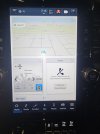
This is my UC5 startup screen.
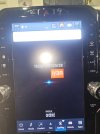
This is the box loading up.
After a full load, this is the start screen. Of course, was disappointed, split...
Amazon.com: Carlinkit Tbox Plus Android 13.0 CarPlay Box for Wired CarPlay Ai Box Adapter, 8GB+128GB,8-Core,for Netflix,for YouTube,for Hulu,Online Upgrade : Electronics
Buy Carlinkit Tbox Plus Android 13.0 CarPlay Box for Wired CarPlay Ai Box Adapter, 8GB+128GB,8-Core,for Netflix,for YouTube,for Hulu,Online Upgrade: Auxiliary Input Adapters - Amazon.com ✓ FREE DELIVERY possible on eligible purchases
www.amazon.com
Plugged that puppy in and it loaded right up.
This is my UC5 startup screen.
This is the box loading up.
After a full load, this is the start screen. Of course, was disappointed, split...

No idea what you're on aboutLook at this thread. No need for android auto. all full screen.
Well, I was running one of those boxes on UC4, it performed very well. Of course split screen, but I was happy with it. Now, I updated to UC5 and guess what, Box would not run on UC5. Went on a hunt for a new box and found this. I thought if it does not work, I just send it back, no harm no foul.
Amazon.com: Carlinkit Tbox Plus Android 13.0 CarPlay Box for Wired CarPlay Ai Box Adapter, 8GB+128GB,8-Core,for Netflix,for YouTube,for Hulu,Online Upgrade : Electronics
Buy Carlinkit Tbox Plus Android 13.0 CarPlay Box for Wired CarPlay Ai Box Adapter, 8GB+128GB,8-Core,for Netflix,for YouTube,for Hulu,Online Upgrade: Auxiliary Input Adapters - Amazon.com ✓ FREE DELIVERY possible on eligible purchaseswww.amazon.com
Plugged that puppy in and it loaded right up.
This is my UC5 startup screen.
This is the box loading up.
After a full load, this is the start screen. Of course, was disappointed, split...
You said "I have Android Auto, so only 1/2 screen for Waze sucks."No idea what you're on about
If you run one of those AI Boxes, you don't need Android Auto as they run a full Android system on your screen. So no split screen. Everything is Full Screen.
Users who are viewing this thread
Total: 2 (members: 0, guests: 2)











