5thGenRams Forums

Register a free account today to become a member! Once signed in, you'll be able to participate on this site by adding your own topics and posts, as well as connect with other members through your own private inbox!

Any 2025/2026 Owners With AlfaOBD?

Jimmy07

Honorary Site Supporter
Site Supporter
Joined
Apr 11, 2019
Messages
2,462
Reaction score
2,956
Points
113
I’m looking for a few specific 25/26 owners that have AlfaOBD:
1) Someone with a Laramie or rebel without a passenger screen, and without digital key cards.
2) Someone with a Laramie or rebel with a passenger screen.
3) Someone with any Limited, Tungsten, or RHO.

What I need is the proxi backup file, and a log of the system id and system status.
No special dongles or bypasses are needed to create these logs, just your usual interface dongle that you normally use with alfaobd, plugged right into the factory OBD port.

To connect alfaobd to the body computer, go to the alfaobd settings and check the box for “do not verify ECU”. Select your vehicle as a Jeep Grand Cherokee (WL). Connect to the body computer.
In the faults and status section, read the system ID and read the system status. That will create the Body_chrysler_info log that I need (as a .txt file via google drive, if possible).
In the active diagnostics section, in the same list you find car configuration change, select proxi tools, then proxi backup to file. This will create the proxi backup file that I need, and it will show the path to find it on your device once the procedure is complete.
 
I’m looking for a few specific 25/26 owners that have AlfaOBD:
1) Someone with a Laramie or rebel without a passenger screen, and without digital key cards.
2) Someone with a Laramie or rebel with a passenger screen.
3) Someone with any Limited, Tungsten, or RHO.

What I need is the proxi backup file, and a log of the system id and system status.
No special dongles or bypasses are needed to create these logs, just your usual interface dongle that you normally use with alfaobd, plugged right into the factory OBD port.

To connect alfaobd to the body computer, go to the alfaobd settings and check the box for “do not verify ECU”. Select your vehicle as a Jeep Grand Cherokee (WL). Connect to the body computer.
In the faults and status section, read the system ID and read the system status. That will create the Body_chrysler_info log that I need (as a .txt file via google drive, if possible).
In the active diagnostics section, in the same list you find car configuration change, select proxi tools, then proxi backup to file. This will create the proxi backup file that I need, and it will show the path to find it on your device once the procedure is complete.
Jimmy I have a 25 rebel without passenger screen and without digital key or passive entry. I have MX+ aldaobd and the xtool a30m can you DM me and I can get you the proxi back up tomorrow.
 
Jimmy I have a 25 rebel without passenger screen and without digital key or passive entry. I have MX+ aldaobd and the xtool a30m can you DM me and I can get you the proxi back up tomorrow.
Thanks for replying. I didn’t realize the rebel didn’t have passive entry, so I guess I don’t need anything from a rebel.
So far, I received the logs for a Laramie with passive entry, and no passenger screen or digital key.

Now, I pretty much just need anyone with a passenger screen.
 
What’s the plan for these ingredients?


Ahhhh…I see you’re working on adding passive entry.

Whoever cracks this is a genius!
 
Last edited:
What’s the plan for these ingredients?


Ahhhh…I see you’re working on adding passive entry.

Whoever cracks this is a genius!
Yeah, now that we know we can get alfaobd to work on these 2025+, I’m trying to filter through all the settings so I know which ones make what features work, like passive entry, digital cluster, 14” screen, passenger screen, premium headlights/tail lights with animated lights, etc.
 
Let me see if I can get this for you off my 2026 Limited. I’m going to have to dust off the old android to launch AlfaOBD. It’s been three years since I last messed with this on my 2019 before I got rid of it.
 
Let me see if I can get this for you off my 2026 Limited. I’m going to have to dust off the old android to launch AlfaOBD. It’s been three years since I last messed with this on my 2019 before I got rid of it.
Thanks, that would be a HUGE help. If you need help, I can walk you through everything specific for the Android version.
 
Yeah, now that we know we can get alfaobd to work on these 2025+, I’m trying to filter through all the settings so I know which ones make what features work, like passive entry, digital cluster, 14” screen, passenger screen, premium headlights/tail lights with animated lights, etc.
This is the first I've heard of AlfaOBD working on 2025+. How did you bypass the security? Have you confirmed you are able to make modifications to the BCM that work?
 
This is the first I've heard of AlfaOBD working on 2025+. How did you bypass the security? Have you confirmed you are able to make modifications to the BCM that work?
It’ll work, but it’s a pain. More info on that in the thread below:
 
Thanks, that would be a HUGE help. If you need help, I can walk you through everything specific for the Android version.

Send me those instructions and will get that done. I just installed it on my Galaxy Tablet since I don’t have an Android phone

I’ll use my OBDLink MX+ adapter with this.
 
Pair the MX+ to the Galaxy.
Plug MX+ into factory OBD port (you can leave the ignition off for all of this).

Open alfaobd, go to settings, and under data exchange, check the box for Do Not Verify ECU Model.
Back on main screen click Bluetooth symbol at top left, and choose the MX+ (you might have to press and hold the MX+ pairing button).
Select Jeep / Grand Cherokee WL / Body Computer / MY2021+, and connect.
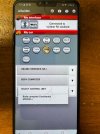
IMG_2637.jpeg

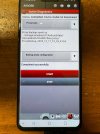
Click the car with hood open in the lower right > drop down the menu and scroll to proxi tools, and select that. Drop down the select option and choose backup proxi configuration, and hit start. Once procedure is complete, you’ll see the path to find that file on your galaxy.
IMG_2638.jpeg
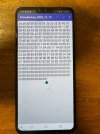
The file looks like this, and you can just copy and paste that here, or post it as a .txt file:
IMG_2639.jpeg
That’s the first file I need. Proxi configuration file instructions continued in next post.
 
Now click the battery icon in the lower right, click read system ID and let it populate, then click read system status, and let that list fully populate for about two minutes.
Click on the tools icon up top > upload to google drive > sign in when prompted >upload faults and status log > choose Body_Continental_WL_Info, and the file will upload to your google drive. Open that file in google drive and copy and share it here (or PM me with it)
 
Alrighty let me get those things. Anything private or sensitive in that I shouldn’t share here or not really?
 
Alrighty let me get those things. Anything private or sensitive in that I shouldn’t share here or not really?
Your VIN will be in the body continental WL info log, so you can direct message that to me if you want.
 

Users who are viewing this thread

Back
Top