- Joined
- Apr 11, 2019
- Messages
- 2,586
- Reaction score
- 3,147
- Points
- 113
I’m looking for a few specific 25/26 owners that have AlfaOBD:
1) Someone with a Laramie or rebel without a passenger screen, and without digital key cards.
2) Someone with a Laramie or rebel with a passenger screen.
3) Someone with any Limited, Tungsten, or RHO.
What I need is the proxi backup file, and a log of the system id and system status.
No special dongles or bypasses are needed to create these logs, just your usual interface dongle that you normally use with alfaobd, plugged right into the factory OBD port.
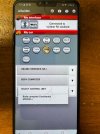
To connect alfaobd to the body computer, go to the alfaobd settings and check the box for “do not verify ECU”. Select your vehicle as a Jeep Grand Cherokee (WL). Connect to the body computer.
In the faults and status section, read the system ID and read the system status. That will create the Body_chrysler_info log that I need (as a .txt file via google drive, if possible).
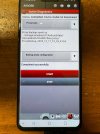
In the active diagnostics section, in the same list you find car configuration change, select proxi tools, then proxi backup to file. This will create the proxi backup file that I need, and it will show the path to find it on your device once the procedure is complete.
1) Someone with a Laramie or rebel without a passenger screen, and without digital key cards.
2) Someone with a Laramie or rebel with a passenger screen.
3) Someone with any Limited, Tungsten, or RHO.
What I need is the proxi backup file, and a log of the system id and system status.
No special dongles or bypasses are needed to create these logs, just your usual interface dongle that you normally use with alfaobd, plugged right into the factory OBD port.
To connect alfaobd to the body computer, go to the alfaobd settings and check the box for “do not verify ECU”. Select your vehicle as a Jeep Grand Cherokee (WL). Connect to the body computer.
In the faults and status section, read the system ID and read the system status. That will create the Body_chrysler_info log that I need (as a .txt file via google drive, if possible).
In the active diagnostics section, in the same list you find car configuration change, select proxi tools, then proxi backup to file. This will create the proxi backup file that I need, and it will show the path to find it on your device once the procedure is complete.